
MySorty PDF Viewer & File Explorer:
With these two functions, you can view and manage your documents directly in MySorty — without needing external programs or the Windows Explorer.
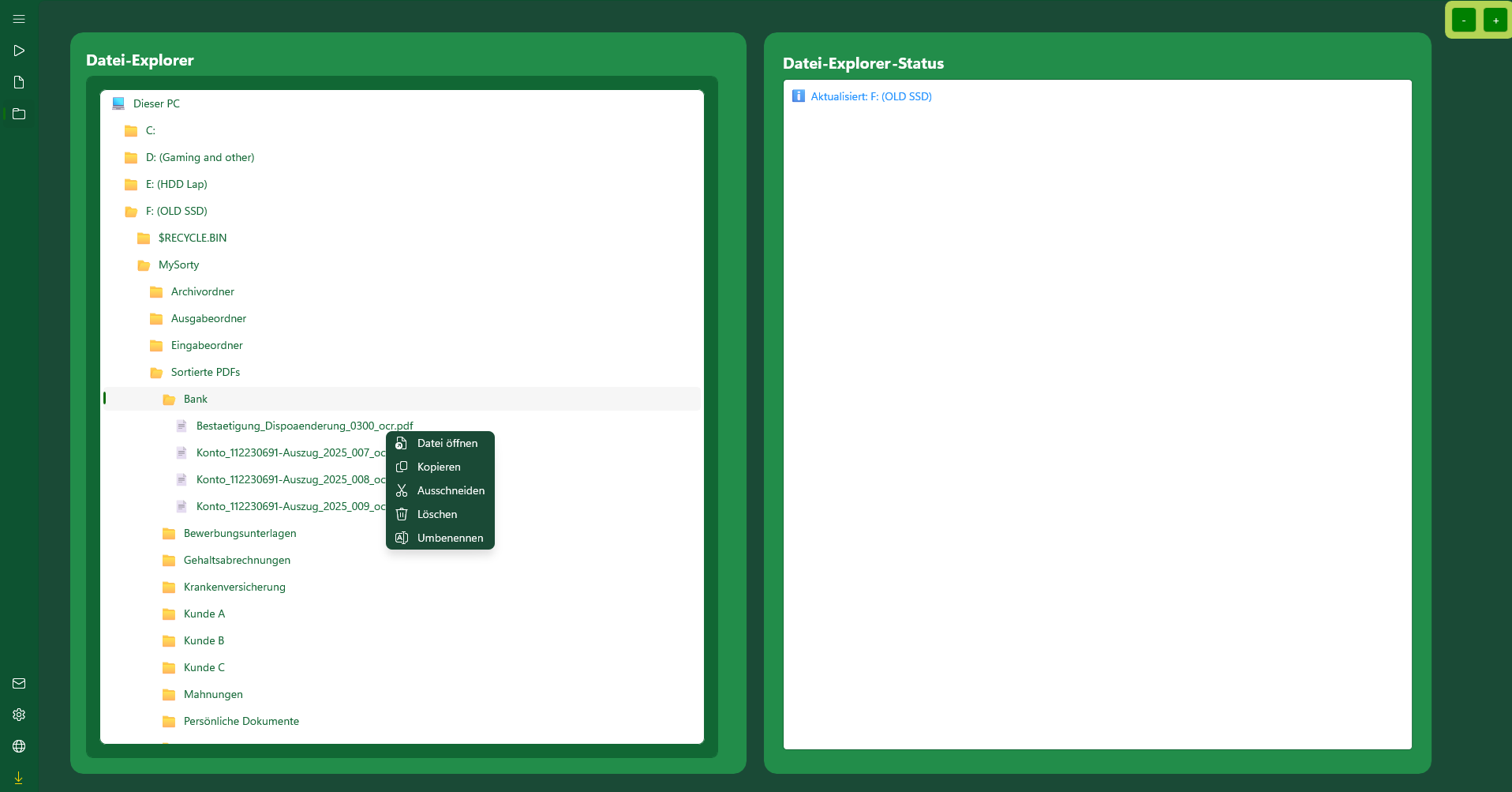
1. File Explorer:
Allows access to all drives and folders on your PC.
Displays only supported file formats: .jpg, .jpeg, .png, .pdf.
Functions: Copy, cut, paste, rename, or delete files and folders.
2. PDF Viewer:
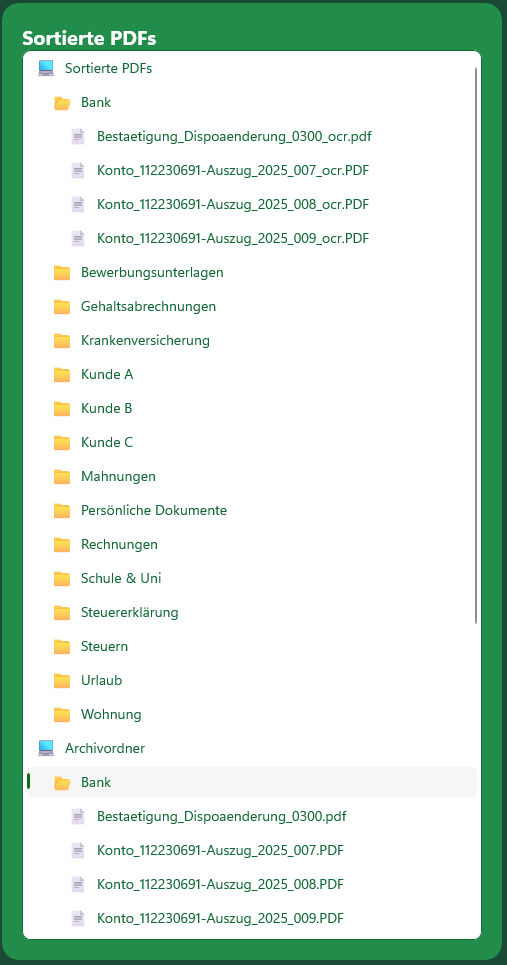
- Displays PDFs directly in MySorty from the Archive folder, the Sorted PDFs folder, as well as from "This PC" and all its drives.
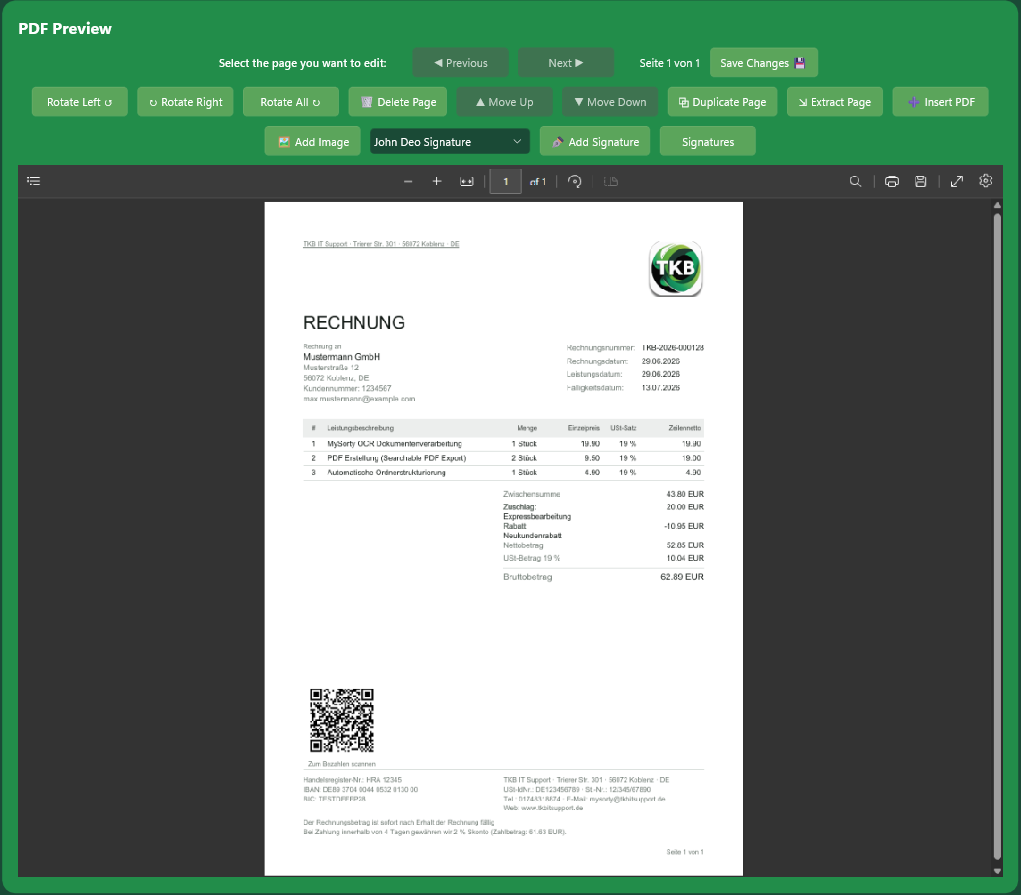
- Allows you to quickly open documents and browse through them using Previous Page / Next Page.
- Provides the ability to print PDFs directly from the viewer.
- Rotate Left and Rotate Right: Rotates the selected page by 90°.
- Rotate All: Rotates all pages of the PDF at once.
- Delete Page: Removes the selected page from the PDF.
- Move Page Up / Move Page Down: Changes the order of the selected page.
- Duplicate Page: Inserts a copy of the selected page.
- Extract Page: Saves the selected page as a new PDF file.
- Insert PDF: Inserts another PDF at any position within the current document.
- Add Image: Inserts an image file (.png, .jpg, .bmp) onto the current page.
- Add Signature: Places a saved signature onto the current page.
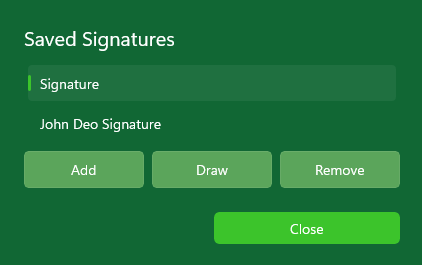
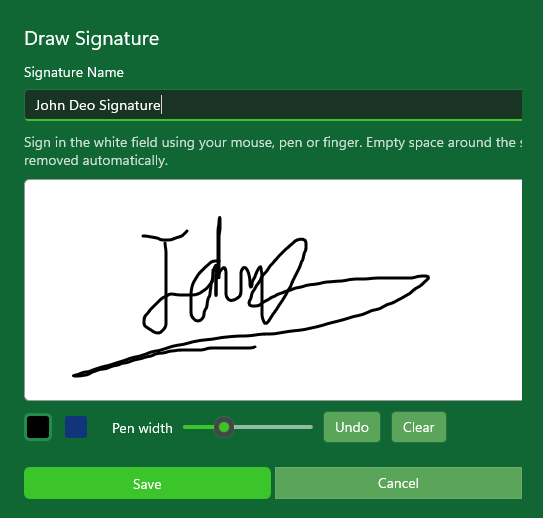
- Signatures: Manages your saved signatures — import, draw directly in MySorty, or delete.
- Save PDF: Permanently applies all changes to the file.
Note:
After editing (rotating, deleting, moving, duplicating, inserting), you must click "Save PDF" to save the changes.
3. Adding images and signatures:
In the PDF Viewer you can place images and signatures directly onto a PDF page.
- Positioning: After choosing an image the viewer switches to placement mode. Drag the frame to move it, the corner to resize, and the top handle to rotate. Rotation snaps to 90 degree steps.
- Saved signatures: Store your signature images once and reuse them on any document. Manage them via the Signatures button.
- Draw a signature: Draw your signature directly in MySorty with mouse, pen or finger. Pen colour (black or blue) and pen width are adjustable, and individual strokes can be undone. Empty space around the signature is trimmed automatically and the file is saved with a transparent background.
- Confirmation: MySorty asks before inserting, because the original PDF is overwritten and the change cannot be undone.
Note:
when importing a signature, use a PNG file with a transparent background. JPG has no transparency and will place a white box around the signature. Drawn signatures are transparent automatically.