OCR Software for Automatic PDF Organization
Organize your documents automatically, from scans to email attachments, without manual effort.
What is MySorty?
MySorty is a powerful Windows app that brings order to your documents and saves you manual sorting work.
Whether scans, existing PDFs, or email attachments: MySorty centralizes all files, analyzes their content, and organizes them automatically with intelligent tags into the right folders.
At the same time, the integrated OCR text recognition makes every document fully searchable so you can find the exact information you need in seconds.
MySorty offers features for invoice capture and e-invoices as well as export of structured invoice data.
New: With the optional MySorty AI (Beta, in the Pro plans), MySorty also sorts documents that no rule matches yet and gives files like “Scan_0001.pdf” a clear name, completely offline on your PC.
- 📥 Imports files from scans, local folders, and emails.
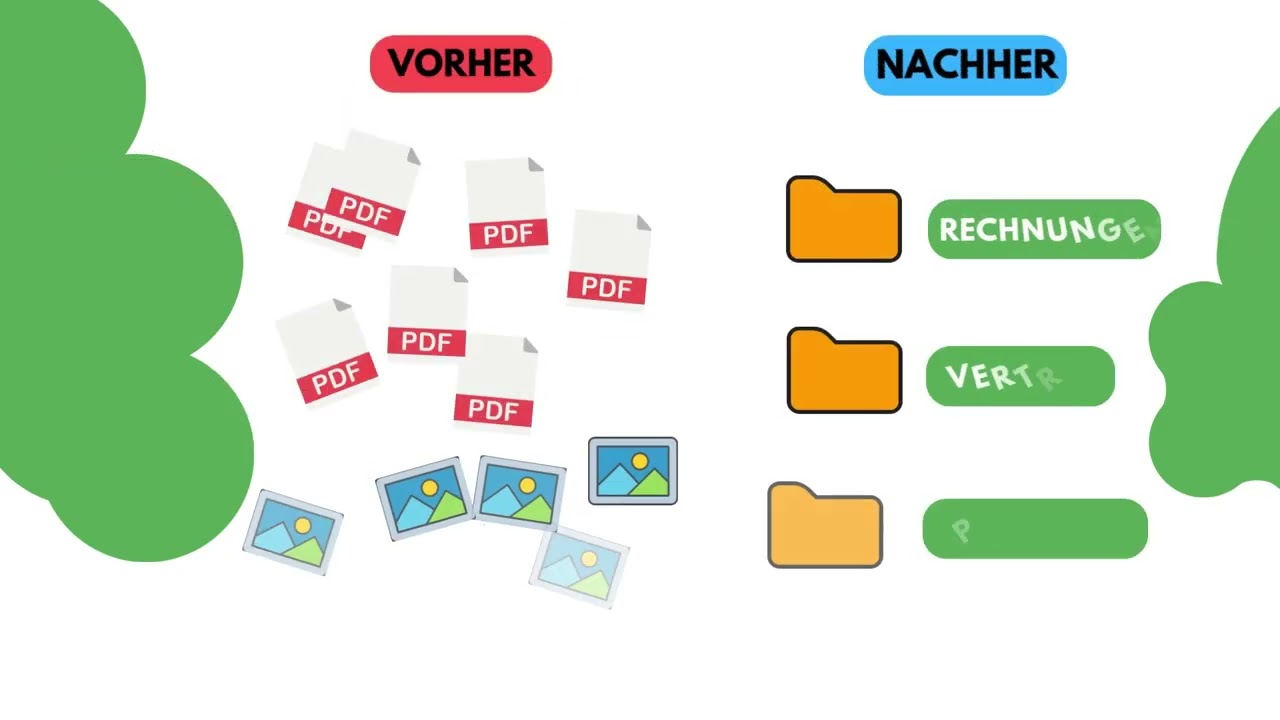
- 🏷️ Automatically sorts them into the correct folders using the tag management system.
- 🤖 Sorts new kinds of documents automatically with the optional MySorty AI (Beta) and gives files like “Scan_0001.pdf” a clear name, locally and offline.
- 📂 Automatically sorts files based on file names and defined naming schemes for structured organization.
- 🔍 Makes documents searchable with integrated OCR text recognition.
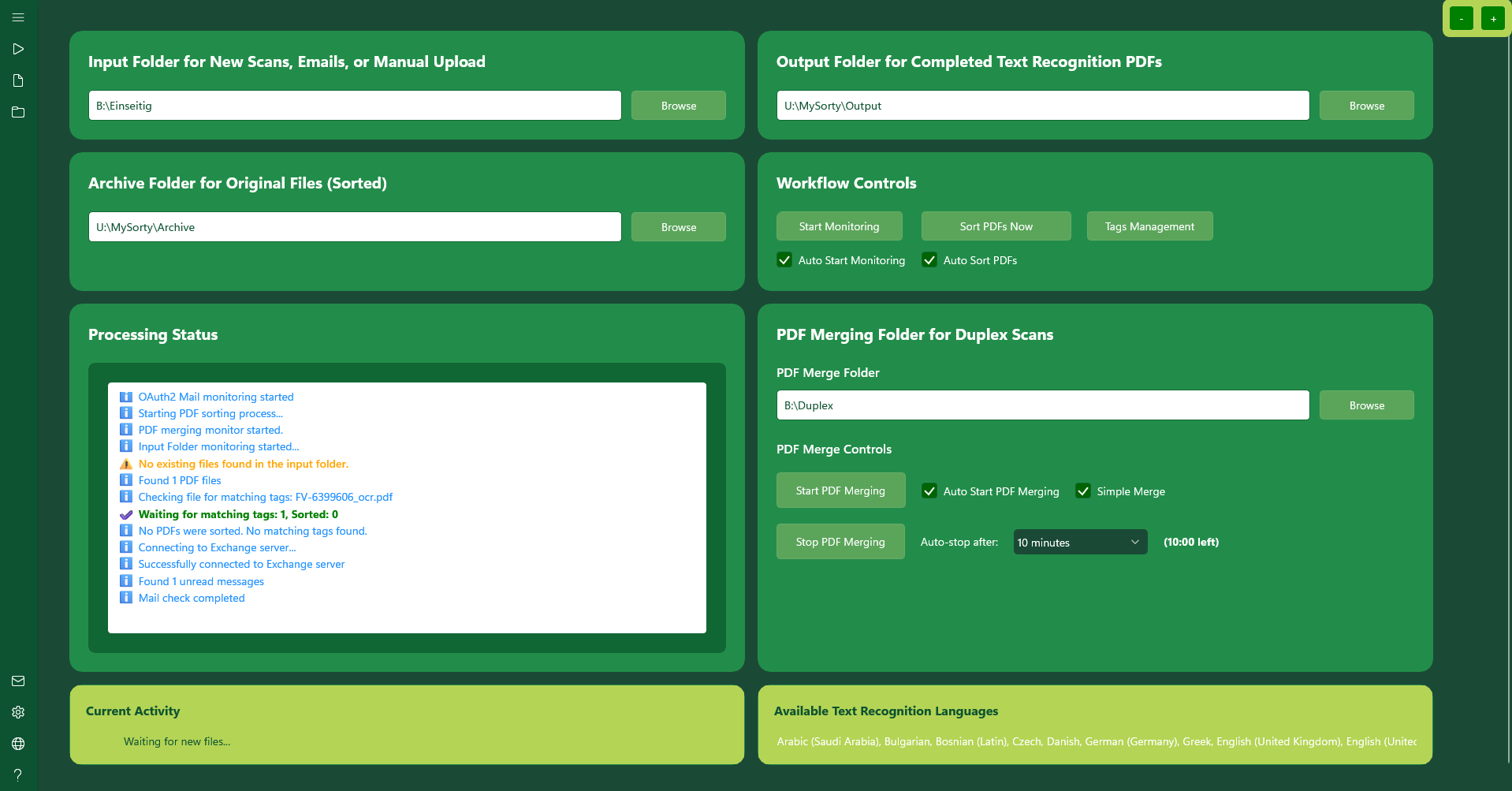
- 📄 Merges multiple PDFs into a single clean file, perfect if your scanner doesn't support duplex scanning.
- 📁 Archives and organizes the original files so both versions are always available.
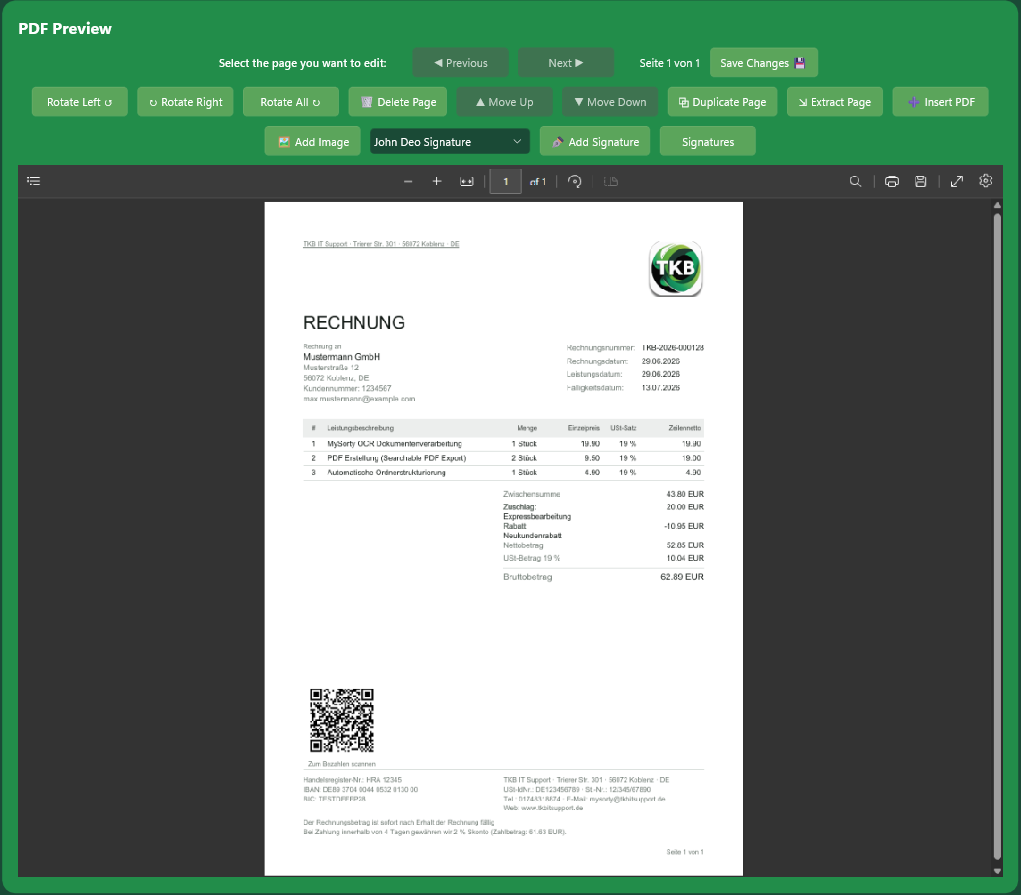
- 👁️ Includes a built-in PDF viewer for quick previews and easy editing: add signatures, images and text, and rotate, delete, move, extract and save pages.
- 🧾 Supports invoice capture with direct processing of invoice PDFs, including field detection (supplier, IBAN, invoice number, etc.) via drag selection or manual input.
- 📨 Supports e-invoices in ZUGFeRD PDF/A-3 format as well as the XRechnung standard and enables export of structured invoice data as CSV, XML (including ZUGFeRD XML and XRechnung XML), JSON, or PDF.
Your documents always end up where they belong: organized, searchable, archived, and ready to use.
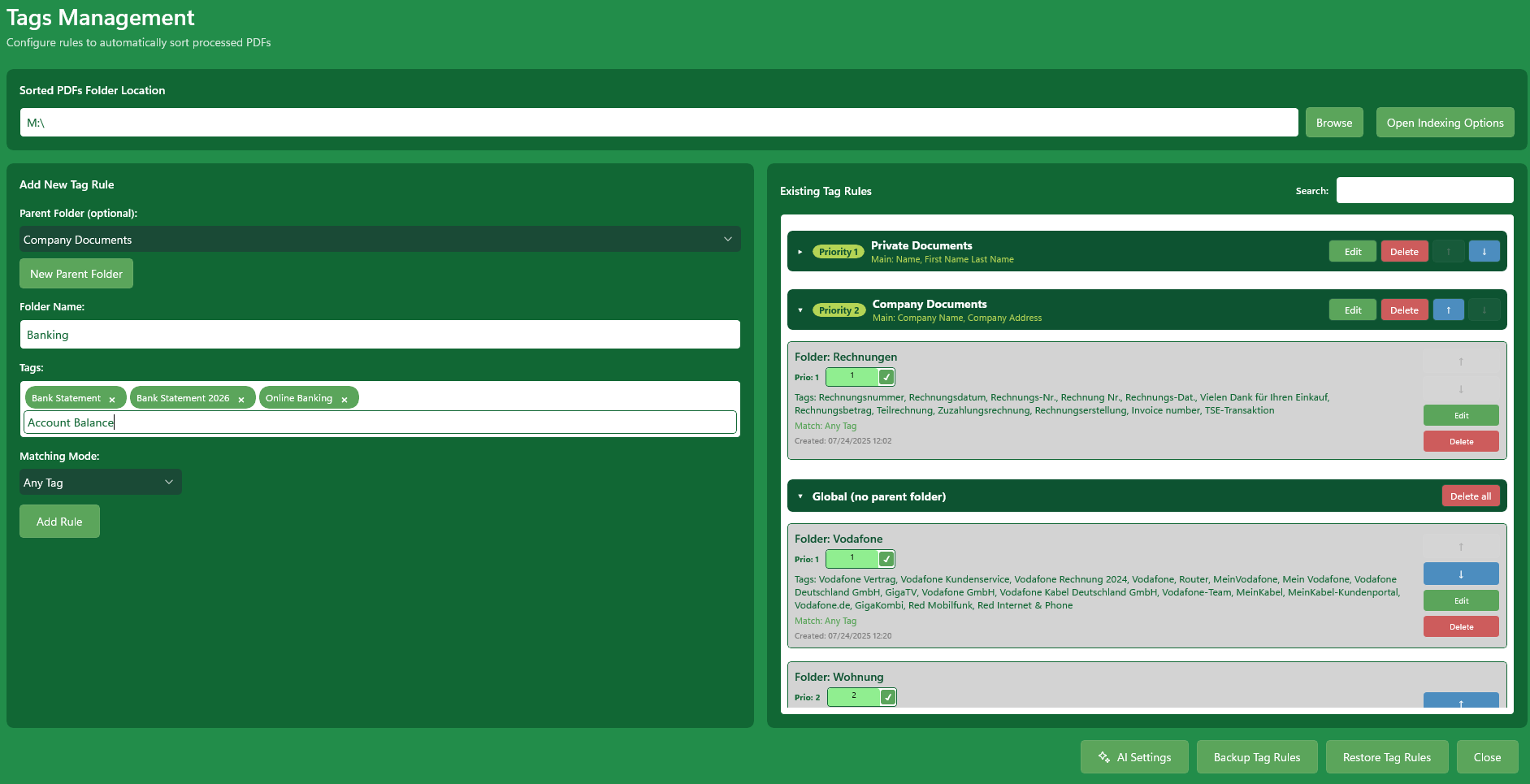
Tag Management System
Automatically sort PDFs and images and move them into the right folders using smart tags.
MySorty AI Beta
Automatically creates tag rules for documents that no rule matches yet and gives files like “Scan_0001.pdf” a clear name. Runs completely offline on your own PC.
Scans, PDFs & Images
Works with scanned files, existing PDFs, and images.
Automatic Folder Monitoring
Monitors defined folders and processes new PDFs & images immediately after addition.
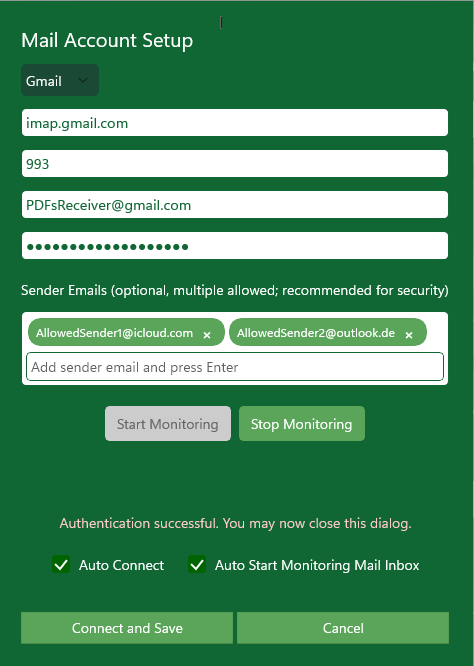
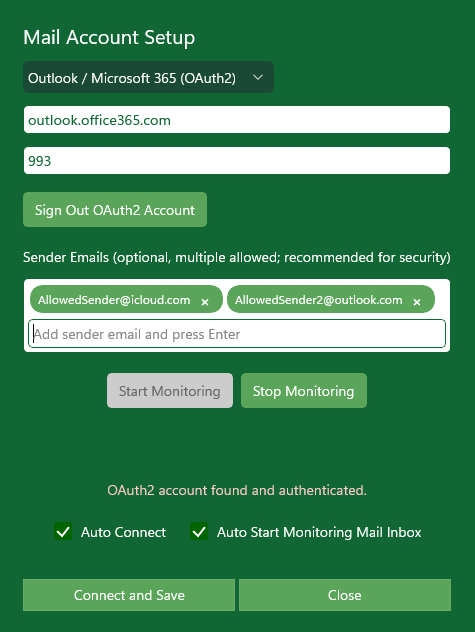
Email Support
Processes attachments directly from the inbox; trusted senders can be defined for maximum security.
OCR Text Recognition
Detects text in PDFs and images and makes the content searchable.
PDF Merging
Merge multiple files, useful if the scanner does not support duplex scanning.
PDF Viewer & Editing
Preview PDFs directly in the app. Draw and save signatures, add images and text, and rotate, delete, move, duplicate, extract or insert pages.
Secure Licensing & Local
Flexible plans for private users and businesses & all documents remain local on your device, no cloud upload.
Invoice Capture
Extract invoice data directly from PDFs, detect fields by marking areas on the page, and export as CSV, XML, JSON, or PDF. Supplier profiles store field layouts and zones for automatic recognition.
E-Invoice (ZUGFeRD & XRechnung)
Creates standards-compliant electronic invoices: ZUGFeRD PDF/A-3 with embedded EN-16931 XML and XRechnung in pure XML format, a required standard for B2G invoicing to public authorities.
GiroCode: Payment QR Code
Automatically embeds a SEPA-compliant GiroCode QR code into every generated invoice. Recipients can simply scan it with their banking app, IBAN, amount, and payment reference are transferred instantly.
🤖 MySorty AI: Automatic Sorting & Renaming Beta
MySorty Pro includes an optional AI that runs directly on your PC. It steps in whenever no rule matches a document yet, and it gives files with meaningless names a clear name.
- 🏷️ Automatic Tag Rules: If none of your rules matches, the AI reads the document, picks a suitable folder or creates a new one, and adds a tag rule. The next document of that kind is then sorted directly by this rule, without the AI.
- ✏️ Automatic Renaming: Sorted files with names like “Scan_0001.pdf” or “IMG_1234.pdf” get a clear name made of date, sender, document type and topic, e.g. “2026-03-15_City Utilities_Invoice_Electricity.pdf”. The original in the archive gets the same name.
- 💬 Your Own Instructions: Tell the AI in your own words how to sort and name documents, e.g. “Everything about the car goes into the folder Car”.
- 🧪 Test First: Pick a sample PDF and see which rule and file name the AI would suggest.
- 🔒 Local & Offline: Your documents never leave your PC and are not used to train the AI. The AI files (about 2.8 GB) are downloaded only once.
- 🎛️ Full Control: The AI is switched off by default. Rules created by the AI are marked in Tag Management and can be edited or deleted at any time.
New kinds of documents sort themselves, and “Scan_0001.pdf” becomes a name you understand. Read the guide
🧾 Invoice Capture & E-Invoice
MySorty Pro includes a complete solution for digital invoice processing, from manual capture to compliant electronic export.
- 📄 Invoice Capture: Open any invoice PDF directly in MySorty. Fields such as supplier, amount, IBAN, or invoice number can be extracted by marking areas directly on the page or entered manually.
- 🏢 Supplier Profiles: Store field layouts and detection zones per supplier. MySorty automatically recognizes the supplier on next opening using an identifier in the document and fills in the fields instantly.
- 📤 Flexible Export: Export captured invoice data as CSV (for Excel), XML, JSON, or printable PDF directly from the app.
- ⚡ E-Invoice from Embedded Data: If a PDF already contains embedded ZUGFeRD or XRechnung XML, MySorty extracts all data automatically, no manual entry required.
- 📨 ZUGFeRD PDF/A-3: Creates a compliant hybrid PDF with embedded EN-16931 XML, readable for humans and machine-processable.
- 🏛️ XRechnung: Creates structured XML invoices in XRechnung format for digital processing and automated invoice workflows.
Capture, verify, export invoices, and generate ZUGFeRD or XRechnung files, all in one application.
Supported OCR Languages
MySorty uses the Windows Media OCR Engine, which is built into Windows. This means MySorty can only recognize languages supported by this OCR engine and installed as language packs on your system.
Want to try MySorty?
If you'd like to try MySorty or request a demo, contact us directly, we'll set up an individual test access for you.
Please first create an account at tkbitsupport.de/login and then send us the email address you used by mail.
📧 mysorty@tkbitsupport.deReply usually within 24 hours
MySorty User Manual:
01
Getting Started:
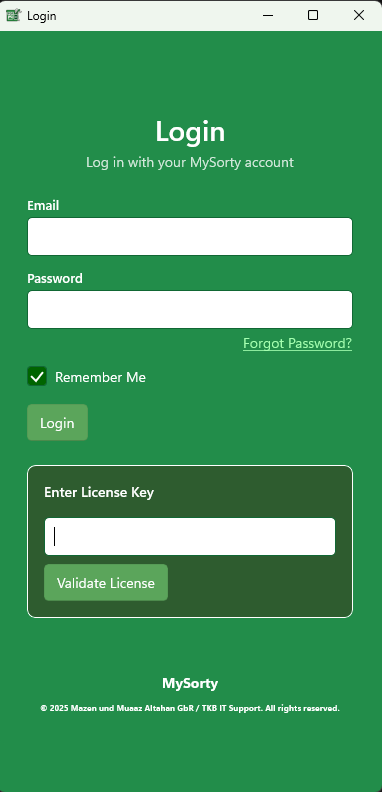
Start MySorty and sign in with your account. Once you’re logged in, the main dashboard will open.
02
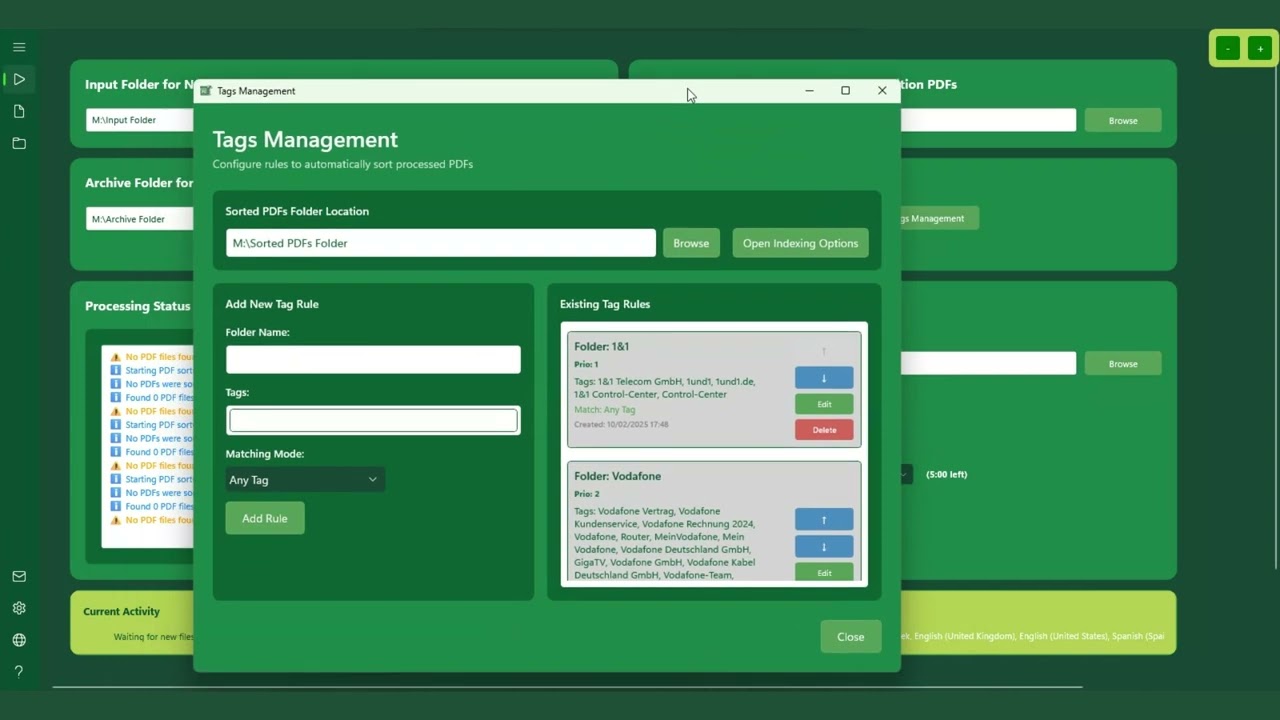
Tags Management:
In this section, you’ll learn how to create and manage tag rules so that MySorty automatically moves your processed files into the correct folders.
When tags are configured correctly, the original files in the archive folder are also sorted in parallel.
03
PDF Viewer & File Explorer:
In this section, you’ll learn how to open and review your processed documents directly within MySorty using the integrated PDF viewer, without needing to launch an external program.
You’ll also discover how to use the file explorer to quickly access your input, output, archive, and sorting folders, making it easy to review, locate, or manage your files directly.
04
Set Up an Email Account:
In this section, you’ll learn how to connect an email account to MySorty.
This allows MySorty to automatically extract PDF files from your mailbox and place them directly into your input folders, so processing can begin immediately.
05
Invoice Capture & E-Invoicing:
In this section you'll learn how to create, edit and export invoices as e-invoices in MySorty.
You can either import invoices from a PDF or create them entirely from scratch using entered data. MySorty supports both normal PDFs and ZUGFeRD/Factur-X files as well as XRechnung (XML).
With the integrated Invoice Capture you can read fields automatically from PDFs or enter them manually via zone marking. You can then check and complete the data and export it to various formats, including ZUGFeRD, XRechnung, CSV, XML, JSON and PDF.
06
MySorty AI (Beta Add-on):
In this section, you’ll learn how to set up and use MySorty AI.
The AI automatically sorts documents that don’t match any tag rule yet into the right folders, and gives files with meaningless names like “Scan_0001.pdf” a clear name.
The AI runs completely offline and locally on your PC – your documents are never uploaded. Included in MySorty Pro.
Prices:
Screenshots:
Videos:
When you play it, the video is loaded from YouTube (Google). More in our privacy policy.
When you play it, the video is loaded from YouTube (Google). More in our privacy policy.